Back to Blog

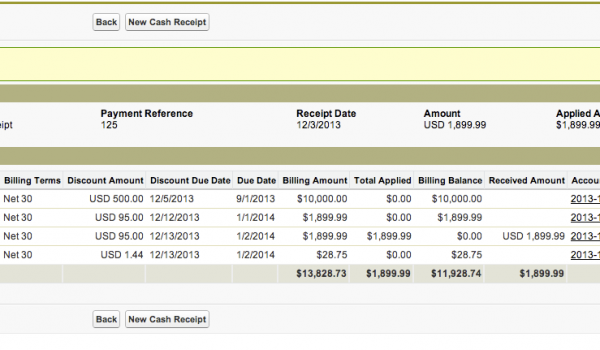
In the latest release, we have made faster navigation in Cash Receipts. You can now quickly enter a new cash receipt from the Cash Application screen. All you have to do is click the New Cash Receipt button at the bottom of the screen! You can also quickly navigate to the Customer Activity as well as t the Billing Record that the receipt was applied to. These records are now hyperlinked so you can click on them to quickly navigate to the screen you need.
See Accounting Seed in action
See how accounting on Salesforce can eliminate the need for costly integrations—and silos of mismatched information—by sharing the same database as your CRM.