Accounting software for accounting managers & accountants

Spend less time on data entry and more time on review

Stay on top of daily transactions, recurring tasks, and reviews. Accounting Seed cuts rekeying, flags what needs attention, and keeps accounting moving from first entry through month-end.

Daily accounting, connected

Keep daily accounting moving

Create billings from sales opportunities and payables from purchase orders or expense reports. Keep customer and vendor information close to the transaction, so your team spends less time rekeying details or searching across systems.

Chat with the AI Assistant to ask questions about your accounting data in plain language. Find answers as you work, then hand records over for review with the supporting detail your team needs.

Recurring work and review

Build a routine your team can rely on

Repeat the process with less effort

Use recurring billings, payables, and journal entries for transactions that repeat. Set up recurring accounting tasks to help organize the work around them.

See where follow-up is needed

View recurring tasks by assignee, date, priority, and status. Give managers and accountants a clearer picture of the work that needs attention.

Find transaction answers with AI

Use the General Ledger Agent to find transaction details and unposted records that need attention. Follow the supporting records to investigate balances and answer review questions.

Resolve what needs attention

Stay on top of a continuous close

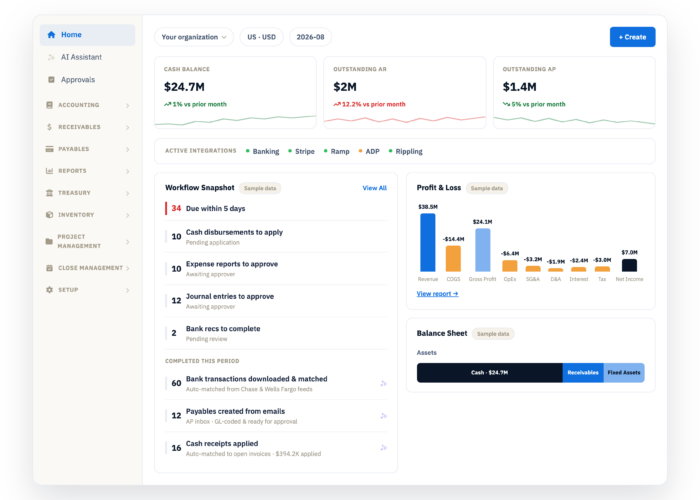
Support a continuous close by keeping accounting work moving throughout the month. Use the close checklist to see outstanding tasks and blocked items, then take action on what needs attention.

Automated bank matching reduces manual comparisons. Accountants can review unmatched transactions and complete missing details, while managers use task and exception reports to focus follow-up and resolve delays.

Less duplicate data entry

There’s no need for double entry. The data is entered once, and that’s it.

Dru Dalton Real Thread

Book a demo

Frequently asked questions

What accounting teams want to know

Can we use information already in Salesforce to create accounting records?

Yes. Create billings from Salesforce opportunities, using existing product and pricing information. You can also create payables from purchase orders or expense reports, helping reduce manual entry across the accounting process.

Which recurring transactions can we automate?

Accounting Seed supports recurring billings, payables, and journal entries, with scheduled jobs available to create records. Your team's posting settings and review process determine how those records move forward.

Can accountants review bank transactions that do not match?

Yes. A dedicated view shows transactions that need attention. Review potential matches, complete missing information, and select the appropriate record or create a new one when needed.

Can managers track recurring accounting responsibilities?

Yes. Accounting-period task reporting includes assigned users, dates, priorities, and status. Use it with automated-job exception reports to see where follow-up or investigation is needed.

How do pre-built skills and AI tools help with daily work?

Pre-built skills help your team prepare and review journal entries and understand amortization schedules. Accounting Agents support repeatable work such as collections and bill pay. Ask questions in the AI Assistant, or use Hosted MCP to work with live Accounting Seed data from your preferred AI. Access follows each user’s Salesforce permissions.

Book a demo

See how to simplify daily accounting

See how Accounting Seed connects daily processing, recurring work, and review around the way your team operates.

Book a demo